Complete Music Reading Trainer
Binary Guilt SoftwareMusic
4.6590.00 Reviews
- Version
- 1.7.4-119 (121119)
- Installs
- 1.00M
- Age Rating
- Everyone
Screenshots
Our Review of Complete Music Reading Trainer
 Analysis by Appyee
Hey there, music enthusiasts! If you're anything like me, you love the idea of effortlessly reading sheet music but sometimes find yourself staring at those notes like they're written in an alien language. Well, I stumbled upon an app called Complete Music Reading Trainer that promises to make reading music as easy as pie. Curious? Let me give you the lowdown.
Building a practice routine that sticks
I find this game most useful when I treat it as a short, repeatable drill rather than a substitute for a full music lesson. A few focused minutes spent naming notes can fit into the pause before a rehearsal, while waiting for a lesson to begin, or at home with an instrument nearby. The useful habit is to make the exercise serve a clear purpose: choose one area you tend to hesitate over, practise it, then check whether the same notes come more readily when they appear in a piece of music.
That last step matters. A correct answer on a screen is not quite the same as spotting a note in printed sheet music while keeping your place, counting, and listening. I would use the game to make note recognition quicker, then deliberately carry that skill over to a score. For example, before playing a passage, I might scan for notes on a staff that usually slow me down, name them quietly, and then play the phrase. This keeps the app connected to actual musicianship instead of turning a streak or score into the whole goal.
A realistic routine could be to practise one clef on a busy day and return to a mixed or more demanding exercise when there is time to concentrate. If I make a mistake repeatedly, I would pause long enough to identify the pattern rather than immediately rushing into more rounds. That approach is less flashy than chasing a personal best, but it helps reveal whether the difficulty is a particular note, a line or space, or simply answering too quickly.
Getting Started with Complete Music Reading Trainer
So, first things first, I downloaded the app on my Android device, and the installation was a breeze. As someone who can't wait to dive into things, I appreciated how quickly I was able to get started. The interface is clean and intuitive, which is a big win in my book. Who wants to spend time figuring out where everything is, right?
The app kicks off with a quick tutorial that guides you through the basics. Whether you're a total newbie or someone brushing up on their skills, this intro sets the stage perfectly. I liked how it didn’t feel overwhelming; instead, it felt like a gentle nudge into the world of musical notes.
Features That Hit the Right Note
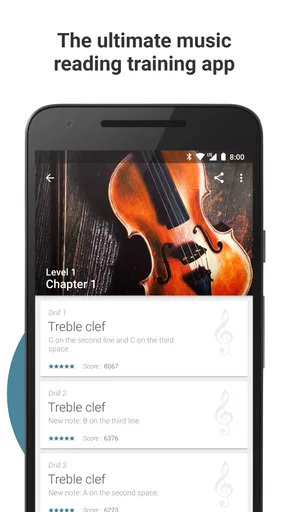
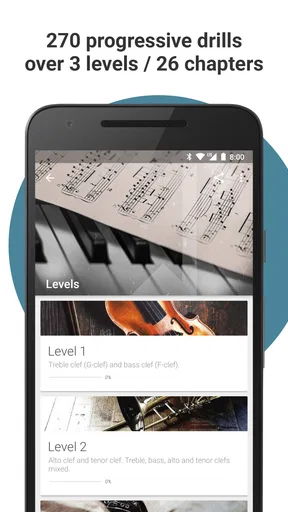
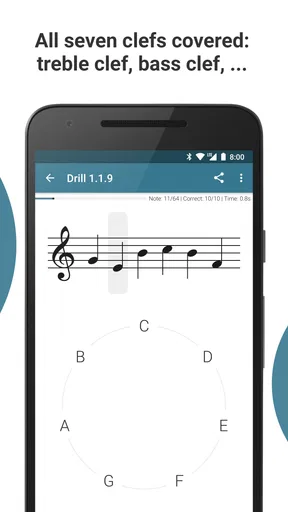
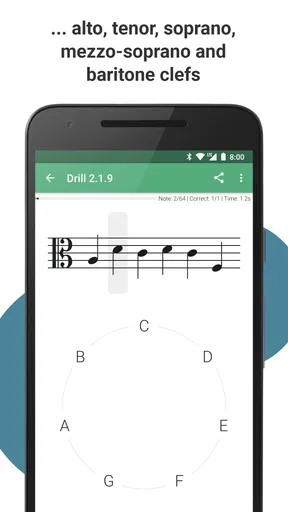
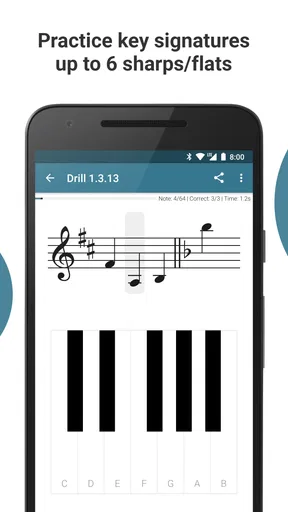
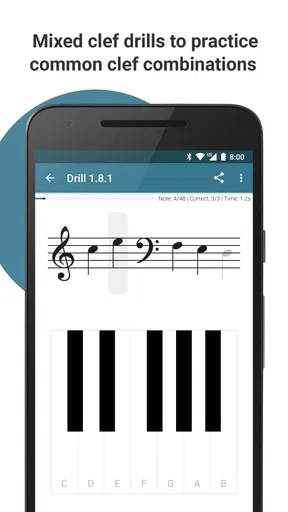
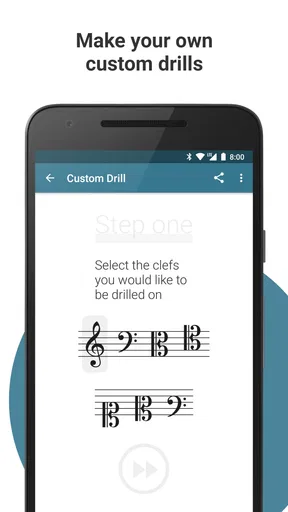
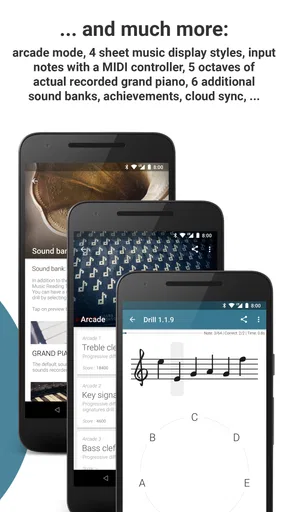
Complete Music Reading Trainer is packed with features that cater to both beginners and advanced users. One of my favorites is the customizable exercises. You can tailor these to focus on specific areas like treble or bass clef, which is fantastic if you’re trying to hone in on particular skills.
That choice is worth using deliberately instead of changing everything at once. If treble clef feels comfortable but bass clef still takes effort, concentrating on bass gives practice a clear target. Later, switching back to a familiar area can help me notice whether the weaker one is improving without letting an easier exercise create a false sense of mastery. The trade-off is that narrow practice can feel repetitive; I would keep sessions focused, then return to broader reading in actual music so the skill does not become tied only to one kind of prompt.
Another neat feature is the app's ability to track your progress. It’s one thing to practice, but seeing tangible results is what keeps the motivation going. The app provides detailed statistics on your speed and accuracy, making it easy to see how far you’ve come.
I would read those figures as clues, not as a complete verdict on musicianship. Faster answers are encouraging, but accuracy is the better priority when a note is still unfamiliar. Once the answers are dependable, speed becomes more useful as a measure of fluent recognition. If my pace rises while mistakes also creep in, I would slow down and revisit the troublesome material rather than treating a quicker session as automatic progress. Keeping a simple mental note of what felt difficult can make the next practice more purposeful.
And let's not forget the built-in metronome! This is a game-changer for practicing rhythm and timing. It's like having a mini music teacher in your pocket, keeping you on beat every step of the way.
For me, a metronome is most helpful when I use it to make a drill steady, not when I let it distract from reading the notes themselves. If keeping time makes recognition feel rushed, I would first work on identifying the notes comfortably and bring the beat back once the task feels manageable. That is a practical balance: rhythm work can support musical reading, but note names and timing are separate demands, and piling them together too early can make it hard to tell what needs attention.
Settings and choices worth checking
Before settling into a routine, I would look at the exercise options and make sure they match the skill I actually want to practise. The clef choice is an obvious starting point, but the broader lesson is to change one thing at a time. If several aspects of an exercise change together, it becomes harder to tell whether a better or worse result came from the notes, the pace, or simply unfamiliarity with the task.
This is especially useful for someone who already plays an instrument. A pianist may want to avoid practising only the staff that feels familiar from their usual part, while a singer might begin with the clef they encounter most often and add other reading demands gradually. Neither route is universally best; the right starting point is the one that exposes a genuine gap without making each round so difficult that practice turns into guesswork.
It is also worth choosing a quiet moment if I want to judge improvement fairly. A phone session squeezed into a noisy room can still be convenient, but interruptions make concentration and timing less consistent. I would use short sessions for maintenance and save a more focused stretch for checking whether a tricky area has become easier. This small distinction helps keep the game useful on both rushed and relaxed days.
User Experience: A Personal Take
Honestly, using the app feels like playing a game, and who doesn't love games? The interactive exercises are engaging and often addictive. I caught myself saying, "Just one more exercise," and before I knew it, an hour had passed. It's a testament to how well the app is designed to make learning fun.
That engaging quality is a strength, but I would put a stopping point around a session. When I keep going after my attention has faded, I can end up answering from impulse rather than reading carefully. A useful stopping cue is to finish after a focused set or once concentration starts slipping, then come back later. The point is not to avoid longer practice; it is to make sure the time spent is still producing attentive reading rather than automatic tapping.
Compared with a paper flashcard or a note-naming worksheet, the game feels more interactive and can make repeated drills easier to begin. A teacher or instrument lesson, on the other hand, can connect reading to phrasing, technique, and musical interpretation in a way a focused training game cannot. I see these options as companions rather than rivals: use the app for repetition and quick feedback, and use scores, lessons, or ensemble practice to apply that recognition in context.
For a beginner, the main question is whether the exercise feels challenging but understandable. If every prompt becomes a guess, I would return to a more comfortable focus rather than push through frustration. For a more experienced reader, the value is different: the game can expose small pockets of hesitation that get hidden when playing familiar pieces. It is less compelling for someone who already reads fluently and wants advanced theory, a complete instrument course, or a replacement for teaching.
One practical question is whether I need an instrument beside me. Not for every drill: note recognition can be practised on its own, which is handy when carrying an instrument is inconvenient. But pairing some sessions with a score or keyboard makes it easier to test whether quick identification transfers to music-making. Another question is whether the game suits absolute beginners. Its introductory guidance gives a starting point, though a learner who has never encountered a staff may benefit from a teacher or beginner lesson alongside the exercises.
Binary Guilt Software’s game is free to start, and it is rated for Everyone. Optional in-app purchases range from $0.99 to $9.99 per item, so I would check what is included before spending; the basic appeal is the chance to practise reading in a game-like format, not a need to buy anything immediately. The Android release date is Apr 8, 2019, and version 1.7.3-118 (121118) requires Android 5.0 or later. Those details make it easier to judge compatibility, while the game’s broader audience is reflected in its 4.6 average from around 12K ratings and over 1M installs.
For people comparing music-learning apps, this one makes most sense when the specific goal is reading notes. A general music theory app may cover more concepts, and a metronome app may offer a more direct rhythm tool; neither necessarily gives the same focused note-reading practice. If I want a broad curriculum, I would look elsewhere or combine tools. If the problem is that I pause too long to identify notes, this focused approach is much closer to what I need.
One limitation is that successful app practice can create confidence without proving that I can sight-read a full piece smoothly. Real music adds rhythm, rests, key signatures, phrasing, and the need to keep moving after a mistake. I would not expect note drills alone to solve those challenges. The best test is to take a short passage from a score after practice and see whether I can recognise notes in sequence while maintaining the musical line.
Another trade-off is that customisation works best when I have a specific weakness in mind. If I am unsure what to practise, selecting options at random can turn a useful trainer into a collection of disconnected rounds. I would identify one recurring hesitation from lessons or sheet music, focus there for a few sessions, then widen the practice. That repeatable cycle—notice a gap, target it, and check it in a real score—is more valuable than endlessly changing settings.
It may not be the right choice if I want to learn an instrument from the beginning, study composition, or receive personalised feedback from a teacher. It is also not a substitute for playing with other people, where reading has to happen alongside listening and timing. But for a musician who already has a reason to read notation and wants a convenient way to sharpen recognition, its narrow focus is a benefit rather than a flaw.
Making progress without chasing scores
When I want to build a lasting habit, I would keep the goal small enough to repeat: practise a targeted area, notice which answers cause hesitation, and bring that observation to the next score I read. The game’s speed and accuracy tracking can help me see a pattern, but I would judge success by whether I spend less time decoding notes when playing or singing. That standard keeps the practice grounded in music rather than app activity alone.
Experienced users can make the routine more efficient by alternating focused and mixed practice instead of staying in one comfort zone. A targeted round is useful for repair; a broader one is useful for checking whether recognition holds up when familiar and less familiar material sit together. I would avoid raising the challenge simply because a session feels easy, though. If ease comes from memorising a repeated pattern rather than reading each prompt, switching the focus is a better test than trying to rush.
There is also a useful distinction between warm-up and study. A quick round before rehearsing can wake up note recognition, while a deliberate session is better for addressing a persistent weakness. If I have only a minute, I would choose a simple, familiar focus and stop; if I have more time, I would follow practice with a passage from the music I am preparing. That keeps the game flexible without pretending every short session has to produce a dramatic leap.
Wrapping It Up
In the end, Complete Music Reading Trainer does exactly what it promises—it trains your ability to read music efficiently. It's a lifesaver for anyone looking to improve their music reading skills without the hassle of traditional lessons.
If you're serious about learning to read music or just want a fun way to improve your skills, give this app a shot. It’s user-friendly, effective, and downright fun. So, get your devices ready and start your musical journey today!
Verdict
Strengths of Complete Music Reading Trainer
- Comprehensive lessons for beginners.
- Customizable difficulty levels.
- Tracks progress with detailed stats.
- Supports multiple instruments.
- Engaging and interactive exercises.
Limitations of Complete Music Reading Trainer
- Limited offline functionality.
- Interface can be overwhelming for some.
- Requires subscription for full access.
- Occasional app performance issues.
- Ads in free version can be intrusive.
Other Releases by Binary Guilt Software
View All
Complete Ear Trainer
Music4.6

Complete Rhythm Trainer
Music4.6
Similar Picks in This Category
View All
Tiles Hop Music & Ball Game
AMANOTES PTE. LTD.4.3

Magic Tiles 3™ - Piano Game
AMANOTES PTE. LTD.4.6

Real Piano
Bilkon3.7

Piano Game: Classic Music Song
Dream Tiles Piano Game Studio4.0

Smash Colors: Music Ball Rush
BADSNOWBALL HONGKONG LIMITED4.2

Piano Music Go-EDM Piano Games
Joy Journey Music Games4.5
Frequently Asked Questions
What is the Complete Music Reading Trainer app designed for?
The Complete Music Reading Trainer app is designed to help users improve their music reading skills. It offers a comprehensive set of exercises and lessons tailored to various skill levels, from beginners to advanced musicians. The app covers multiple musical notations and clefs, making it suitable for a wide range of instruments.
Is the Complete Music Reading Trainer suitable for beginners?
Yes, the app is ideal for beginners. It includes tutorials and simple exercises that introduce fundamental music reading concepts. Users can start with basic lessons and gradually progress to more complex exercises as their skills improve, ensuring a smooth learning curve tailored to individual needs.
Does the app support multiple musical instruments?
Absolutely. The Complete Music Reading Trainer supports a variety of instruments, including piano, guitar, violin, and more. It provides exercises specific to different clefs and notations, allowing users to tailor their practice sessions to their instrument of choice, thereby enhancing their learning experience.
Are there any in-app purchases or subscriptions required?
The app offers a free version with basic features, but users can opt for in-app purchases or subscriptions to unlock advanced features and additional content. These may include more complex exercises, personalized training plans, and progress tracking tools, offering a more comprehensive learning experience.
How does the app track progress and improvement?
The Complete Music Reading Trainer includes progress tracking features that monitor your improvements over time. It logs your performance on exercises and provides feedback on areas that need improvement. Users can view detailed statistics and trends, helping them focus their practice on weaker areas to enhance their music reading skills.
Play our best games!


